
Partner enablement kit
Positioning, messaging and ready-to-use copy for hosting partners.
A complete go-to-market toolkit for launching Meridian and the new cPanel AI capabilities: the positioning that frames the opportunity, the business case that quantifies its value, the audience it wins, the competitive edge it creates, and ready-to-use copy for your website, your panel and your customer emails. Open a section to read it, and use the copy button on any block marked ready to use.
Businesses and creators are adopting AI faster than any technology before it, changing how they build websites, deploy applications, and expect support. cPanel AI turns cPanel into the platform built for that shift: one integrated system for guided AI onboarding, AI-assisted building across websites and applications, embedded AI support, and a secure connection layer between AI and your fleet.
It equips the control panel partners already run with the modern, intelligent capabilities their customers already expect, accelerating time-to-value, deflecting support costs, and unlocking new hosting demand, all while keeping rollout and security under the partner’s complete control. It is built from what partners specifically reported, and it is built so partners can compete in a market moving faster than it has in years.
Building for the web is changing category, and it is happening at the small-business level, exactly where your customers sit.
Build, deploy, manage and troubleshoot websites and applications faster with AI-powered tools built into the cPanel experience.
Build, deploy, manage, and troubleshoot websites and applications faster with AI-powered tools built into the cPanel experience.
Use AI inside cPanel to build a site, deploy an app, manage your hosting, and get help when you need it.
Set up your website, email, and hosting faster with a simpler cPanel experience that guides you to the right next step.
Get your website or email set up faster with a simpler cPanel experience that shows you the next step instead of making you search for it.
Get answers and guided help for common hosting tasks directly inside cPanel, without searching documentation or waiting for support.
Ask cPanel for help in plain language and get guided answers for common hosting tasks and problems. It can take routine actions on your behalf, always with your confirmation first.
Bring your idea to life faster by describing what you want to build and letting AI help create a website or application you can manage in cPanel.
Describe what you want to build, and Nova helps turn it into a website or app you can manage from cPanel.
Create a WordPress website faster by describing your idea and getting an AI-generated site you can edit and manage in cPanel.
Tell Nova what kind of WordPress site you need, then customise and manage it from cPanel.
Connect approved AI tools to your hosting securely, so you can ask questions and take action across your sites and servers without sharing broad access.
Connect an AI tool to your hosting securely, then ask it to help with server and site tasks without sharing broad access.
Deploy apps and websites built with tools like ChatGPT, Claude, Lovable, Bolt, v0, and Replit in cPanel without manual setup.
Built an app with ChatGPT, Claude, Lovable, Bolt, v0, or Replit? Bring it to cPanel and deploy it without command-line setup.
Get from business idea to published website faster with an AI-generated, ready-to-edit site draft you can customise and launch in Sitejet.
Tell Sitejet AI about your business and get a ready-to-edit website draft in seconds.
| Segment | Ideal customer profile | What they need to hear |
|---|---|---|
| First-time site owners | Small business owners, solo entrepreneurs, and professionals creating their first website. Most have little or no prior experience building or managing a website and want to establish a credible online presence quickly. | “Tell us about your business, and we’ll build your website for you.” Lead with the outcome: getting online quickly and confidently, rather than features or technical complexity. |
| Non-technical founders and solopreneurs | Founders, entrepreneurs, and solo operators with a product idea but limited coding or infrastructure expertise. They want to turn an idea into a working product without hiring an engineering team or becoming responsible for deployment and DevOps. | “Go from AI-built app to live product, without the command line, infrastructure, or DevOps.” The product should make launching feel like a natural final step, not a technical handoff. |
| Small businesses already using AI | Small businesses and growing teams already using AI tools to create content, automate work, or build digital experiences. They’re comfortable experimenting with AI but still need a simple, reliable way to turn those outputs into a live business presence. | “Bring the AI work you’ve already created to life.” Your existing AI tools now connect directly to hosting, so going from AI-generated output to a live, professional experience is simple. |
| Existing account holders | You don’t need to learn a new way to manage your site. The classic interface is still there. What’s new is that getting things done is easier: use AI when you want a faster, simpler path, while keeping the tools and workflows you already know. | Core message: “Everything you know, now easier with AI.” |
| Front | Competitive landscape | Your advantage |
|---|---|---|
| Hosting control panels | aaPanel, CloudPanel, Hostinger hPanel | AI is built into the hosting experience. Guided onboarding, AI-powered building, in-panel AI assistance, and AI connectivity across the hosting fleet come together in one control panel rather than requiring separate tools. |
| AI site & app builders | Standalone AI builders and platform hosts | Build with AI, host where you already have your infrastructure. AI builders publish directly to your own cPanel server, avoiding migration to a third-party cloud and reducing platform lock-in. White-labeling is also available on request. |
| Platforms for AI-built apps | Managed AI app platforms | Keep AI-built apps in your hosting environment. AI App Hosting lets customers deploy and manage AI-built projects within their existing hosting infrastructure instead of moving those workloads to a competing platform. |
| AI assistance inside hosting | WordPress.com, Hostinger, WP Engine, Hosting.com, Hetzner, Bluehost | AI that understands and works with your hosting environment. cPanel AI Assistant operates directly inside the control panel, can use live account context, and can take actions with customer confirmation. It is designed to work across cPanel hosts rather than being tied to a single hosting provider. |
Most alternatives solve one part of the AI-to-hosting journey. cPanel brings the journey together—from building and assistance to deployment and ongoing management—inside the hosting environment customers already use.
AI assistants for hosting already exist. The differentiator is bringing AI directly into the control panel and connecting it to the customer’s live hosting environment.
Use the prompt below to create a long-form announcement for your blog or news page. It introduces cPanel AI and the Meridian interface to existing customers while keeping the message grounded in the capabilities you actually offer.
Before publishing, replace the bracketed details with your company, audience, brand voice, hosting plans, and enabled AI capabilities. Remove any feature your customers cannot access.
Copy the prompt below into your preferred AI writing tool. Complete the bracketed fields first, then review the generated draft against the checklist that follows.
You are writing a blog post for [Your Company], a web hosting provider, introducing cPanel’s new Meridian interface to existing customers who manage their hosting through cPanel.
Audience: [Describe your typical customer, for example, shared hosting customers, VPS owners, or dedicated server customers]
Voice: [Describe your brand voice, for example, practical and friendly, technical but approachable]
Write a clear, useful announcement that explains what is changing, what is easier, and what customers can expect.
Include these sections, in this order:
Keep the tone confident, practical, and reassuring. Use plain English, active voice, and short paragraphs. Avoid hype and unnecessary technical jargon.
Prioritize customer benefits over feature descriptions. Do not imply that customers need to change how they work. Make clear that Meridian is optional and that the familiar Jupiter interface remains available.
When describing our hosting plans, servers, or available features, use only the information provided in this prompt. Do not guess or invent availability.
Add your own UI screens or use the standard screens below. Click any screen to view it full size.
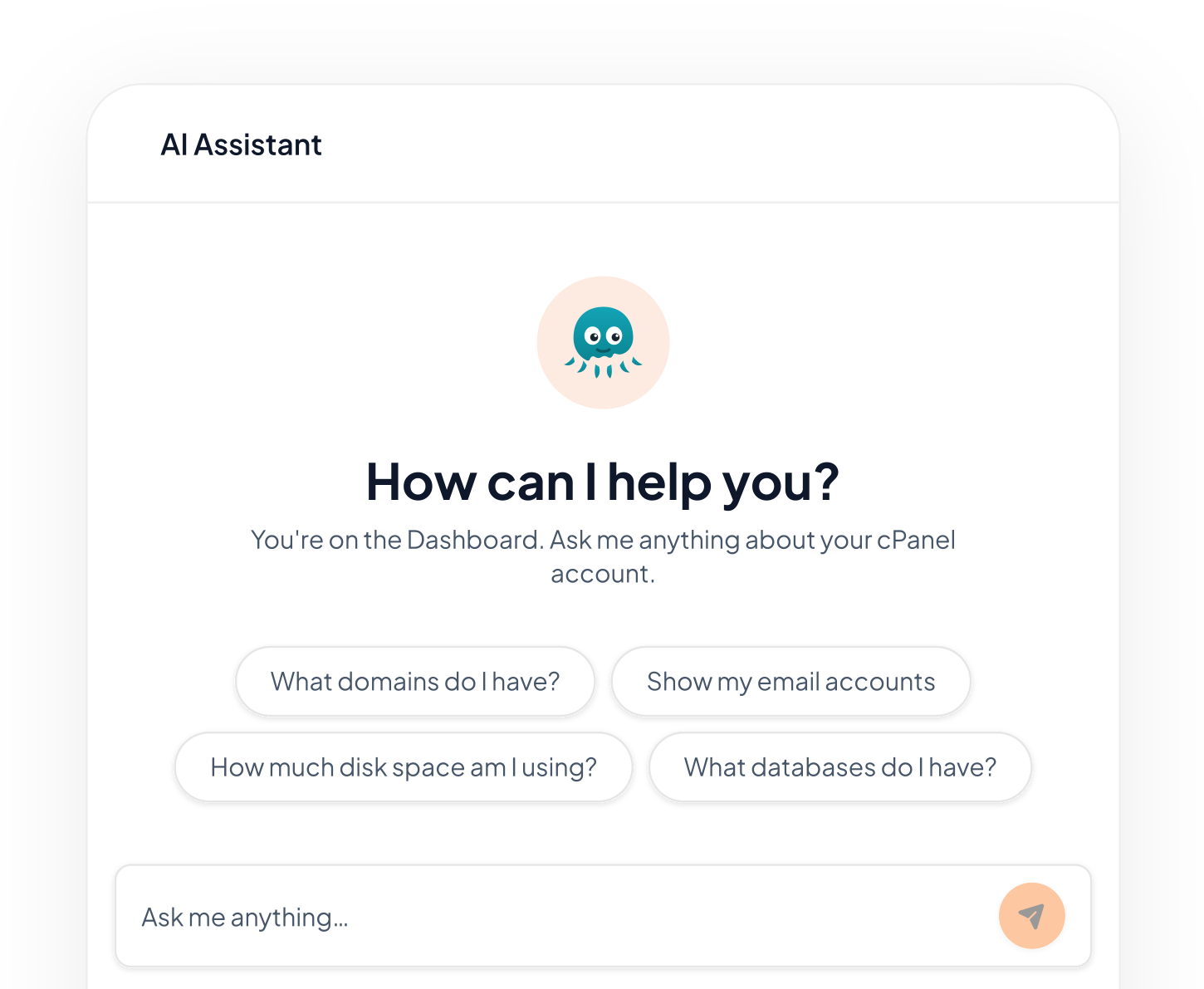
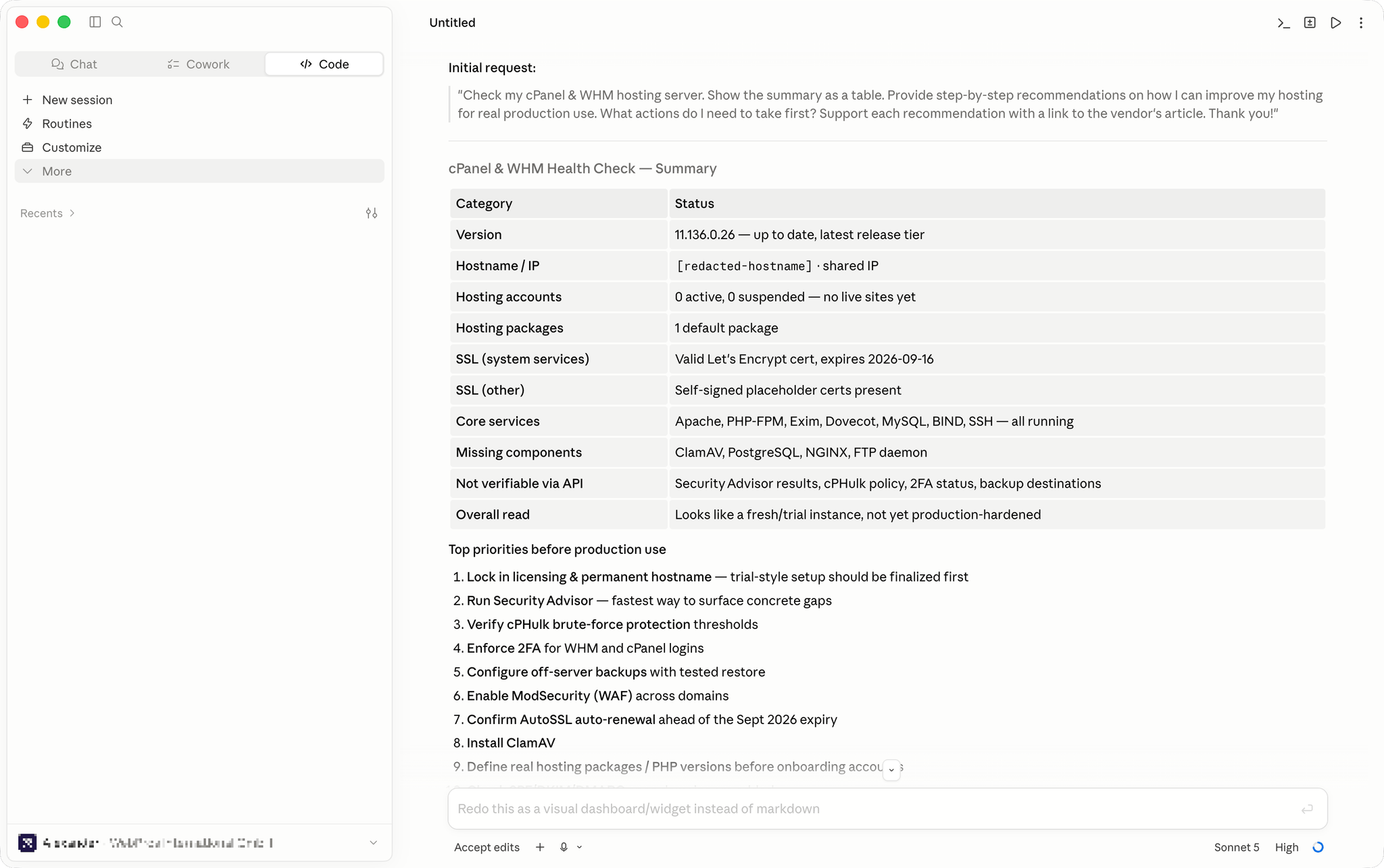
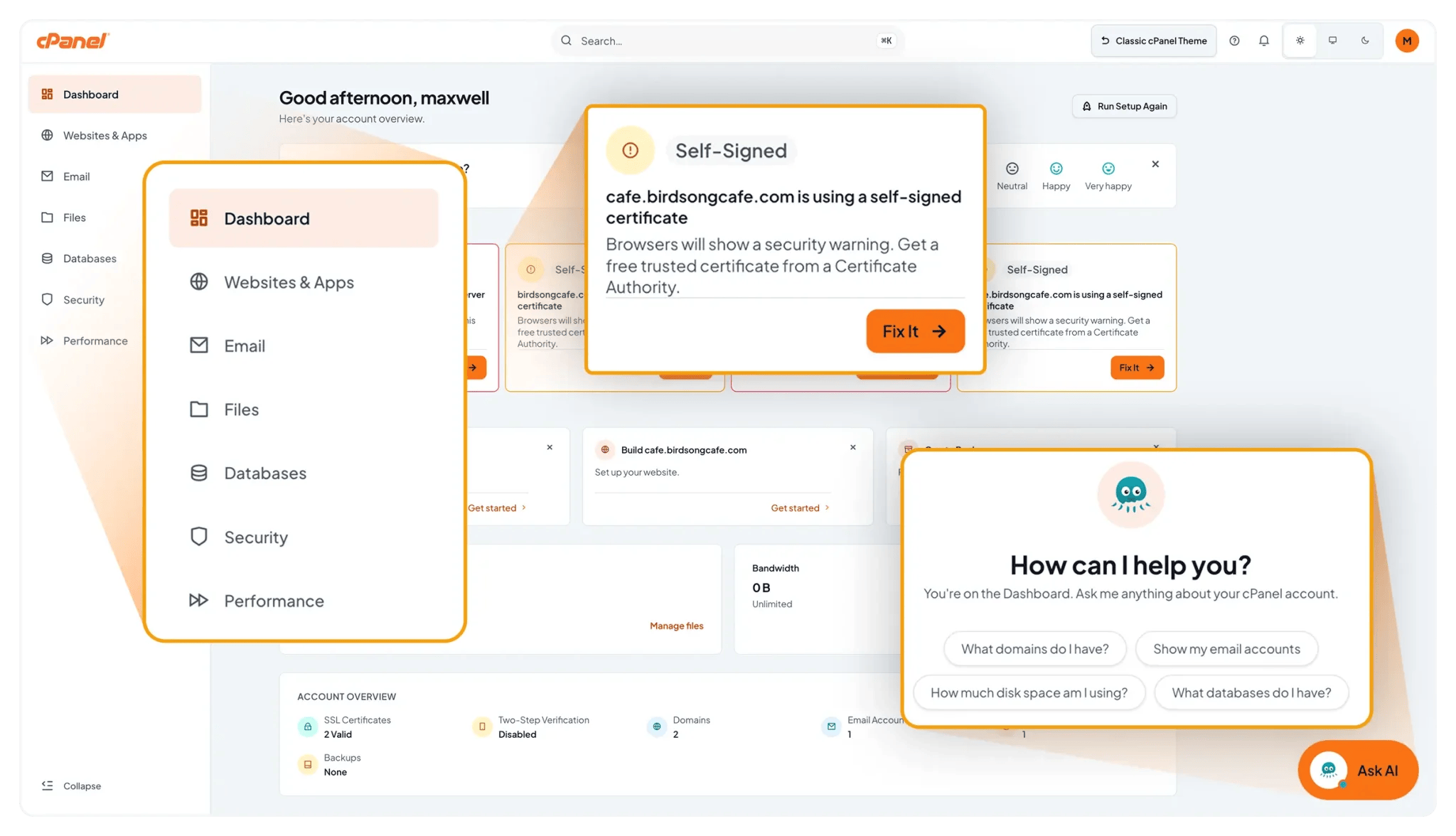
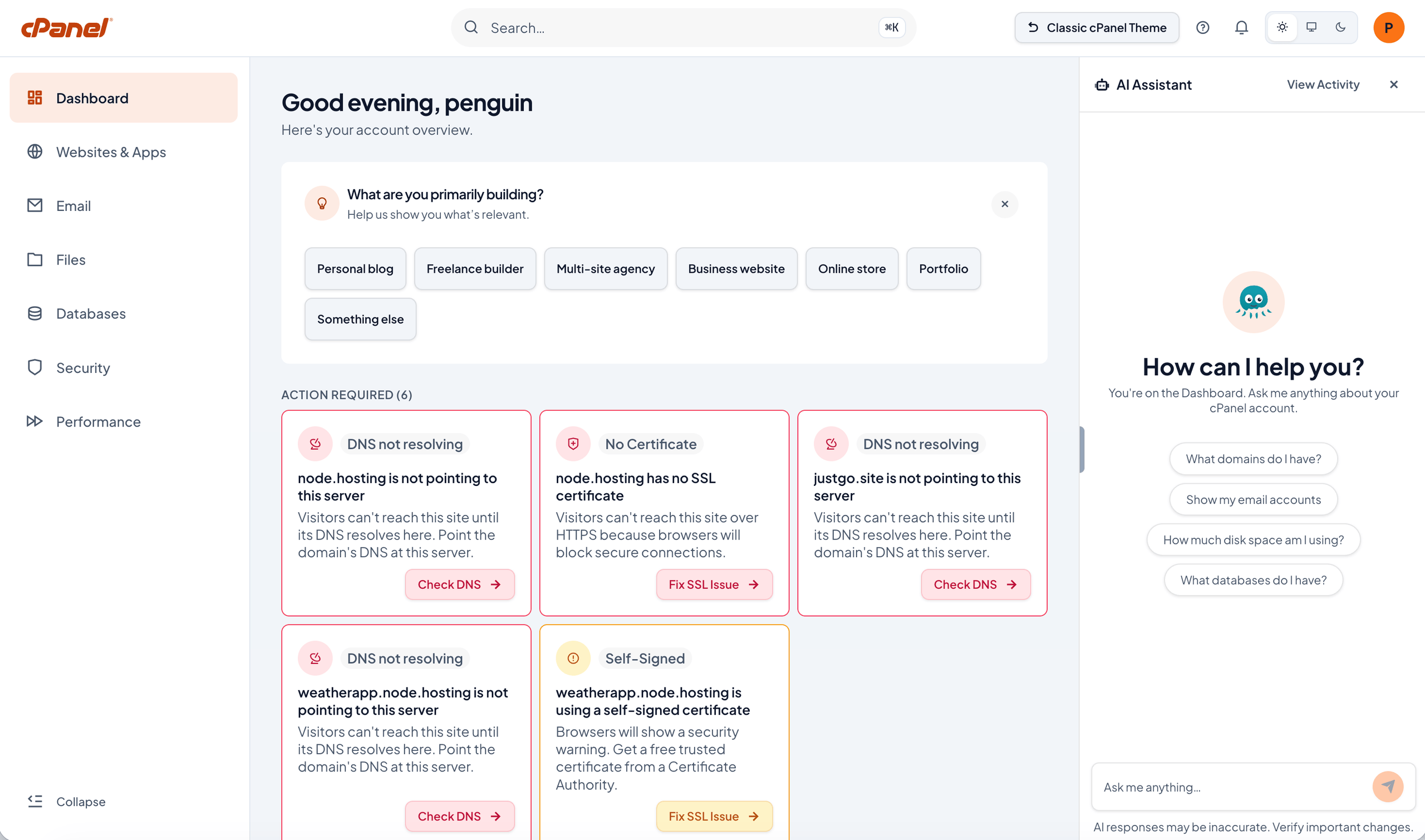
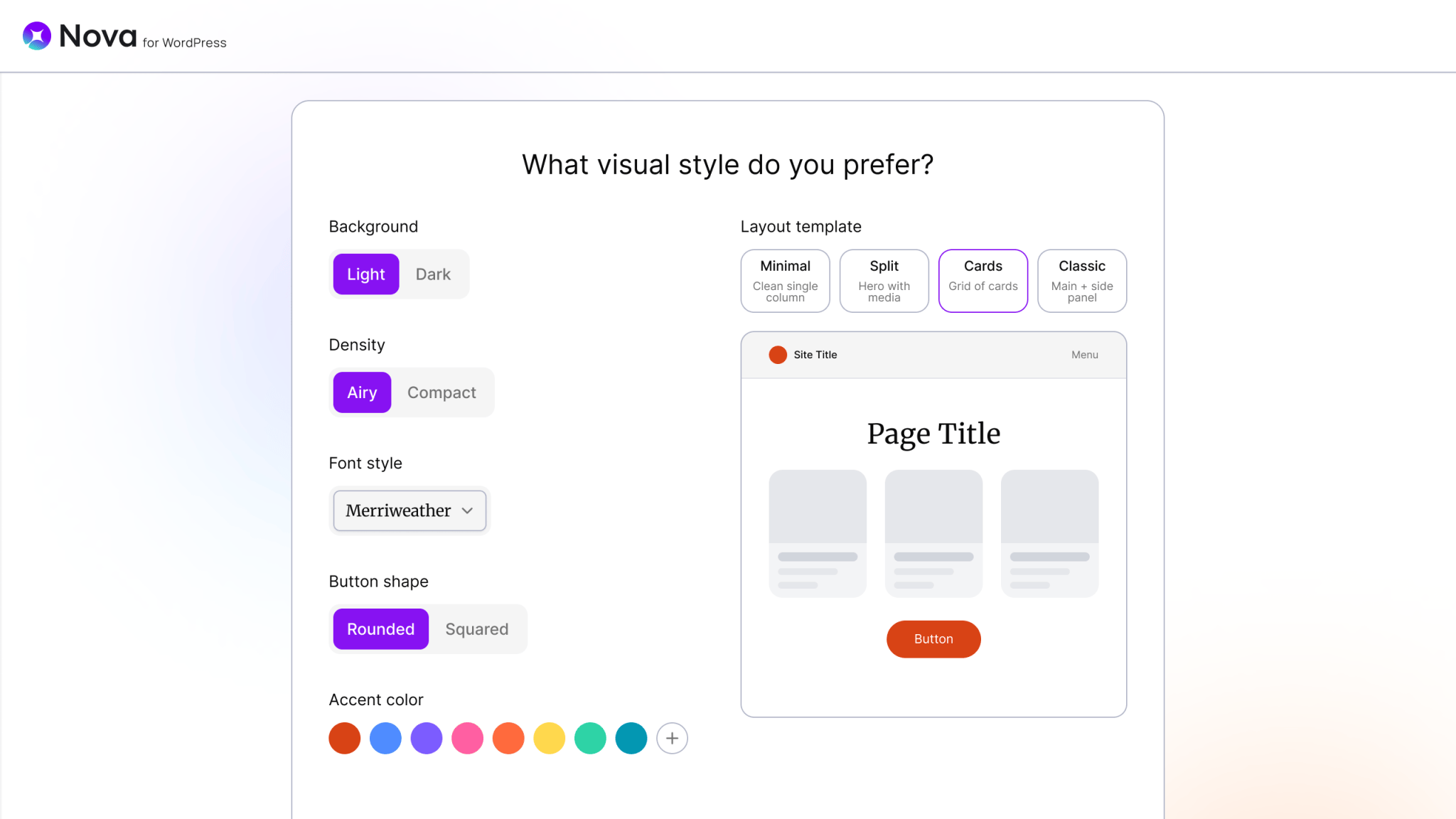
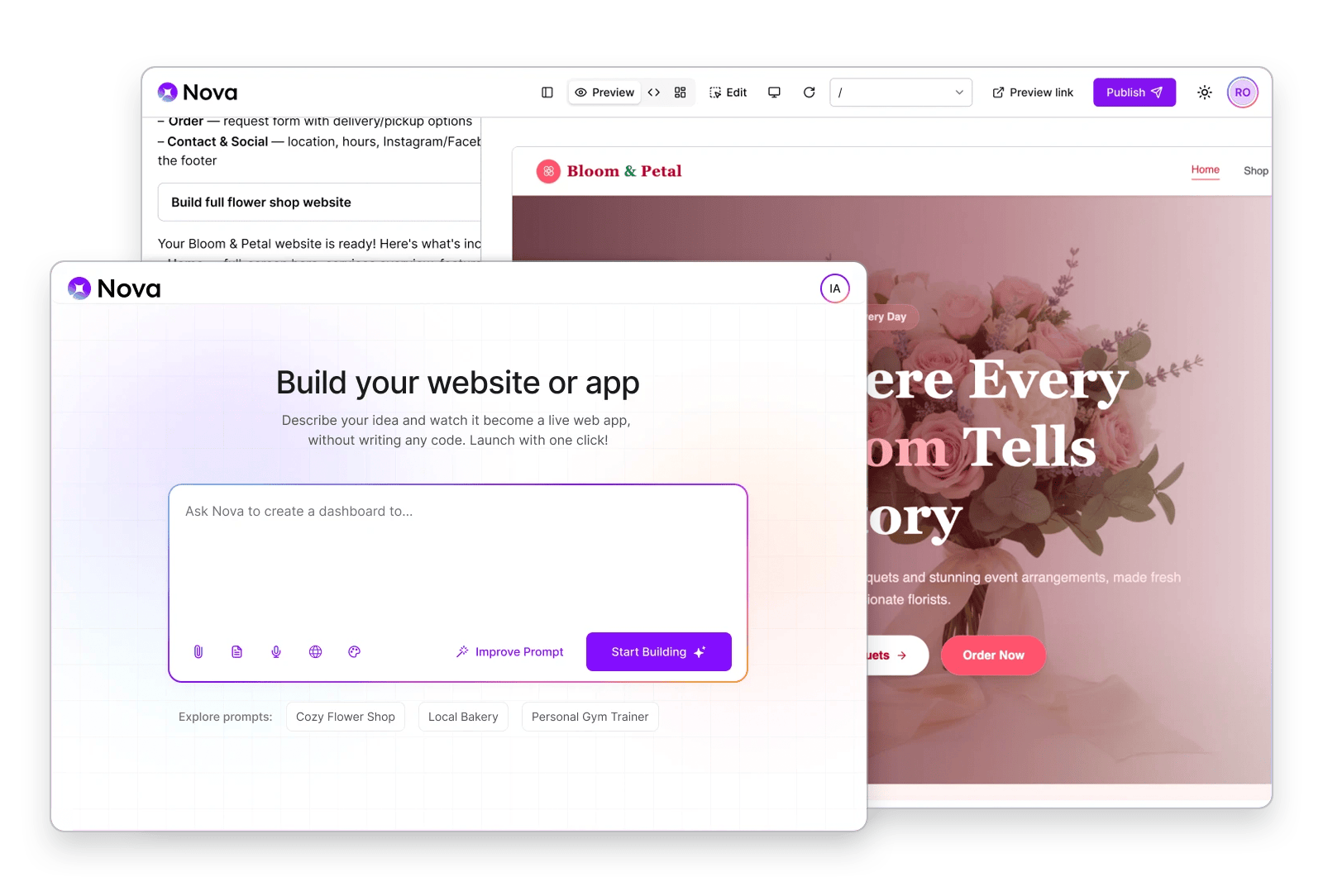
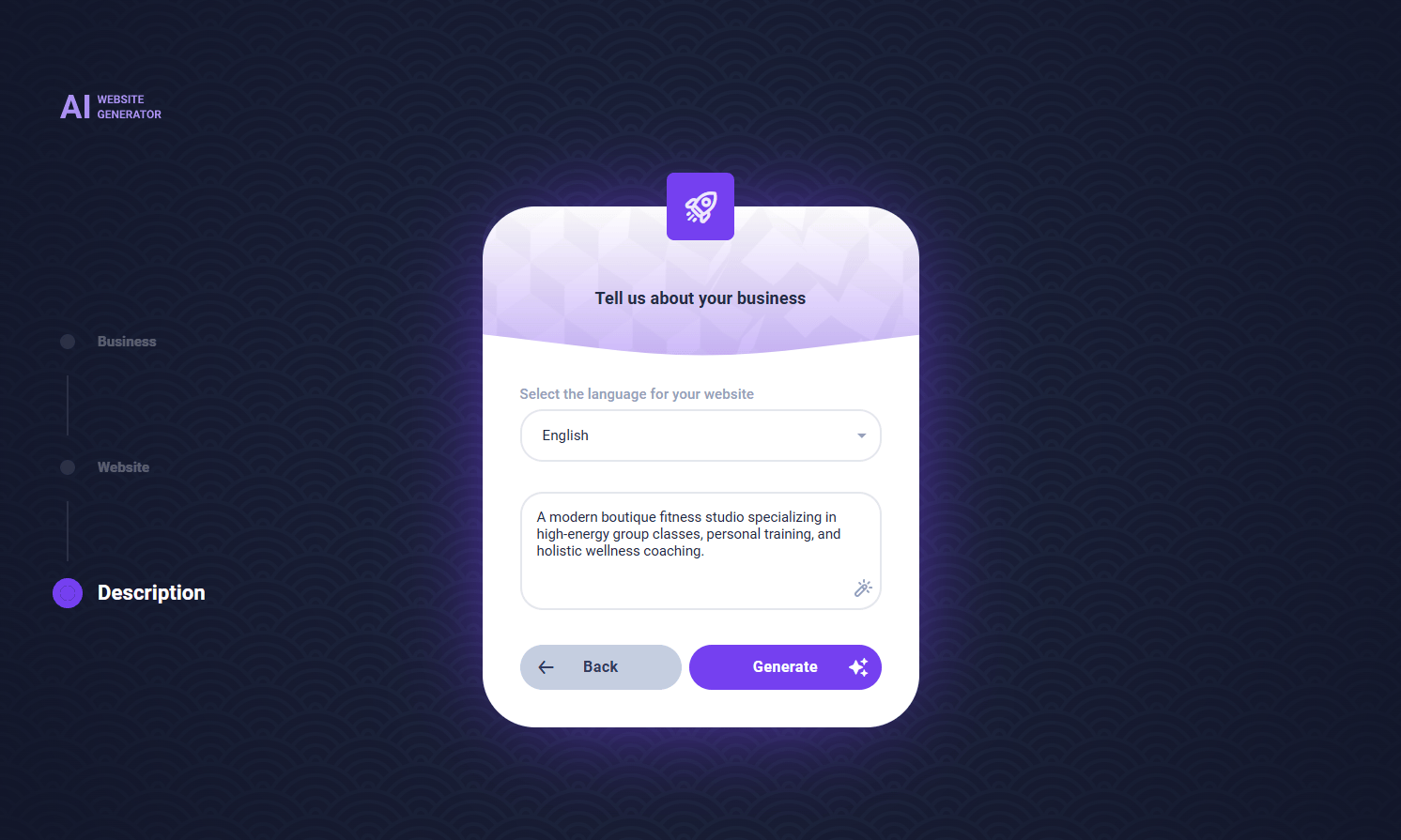

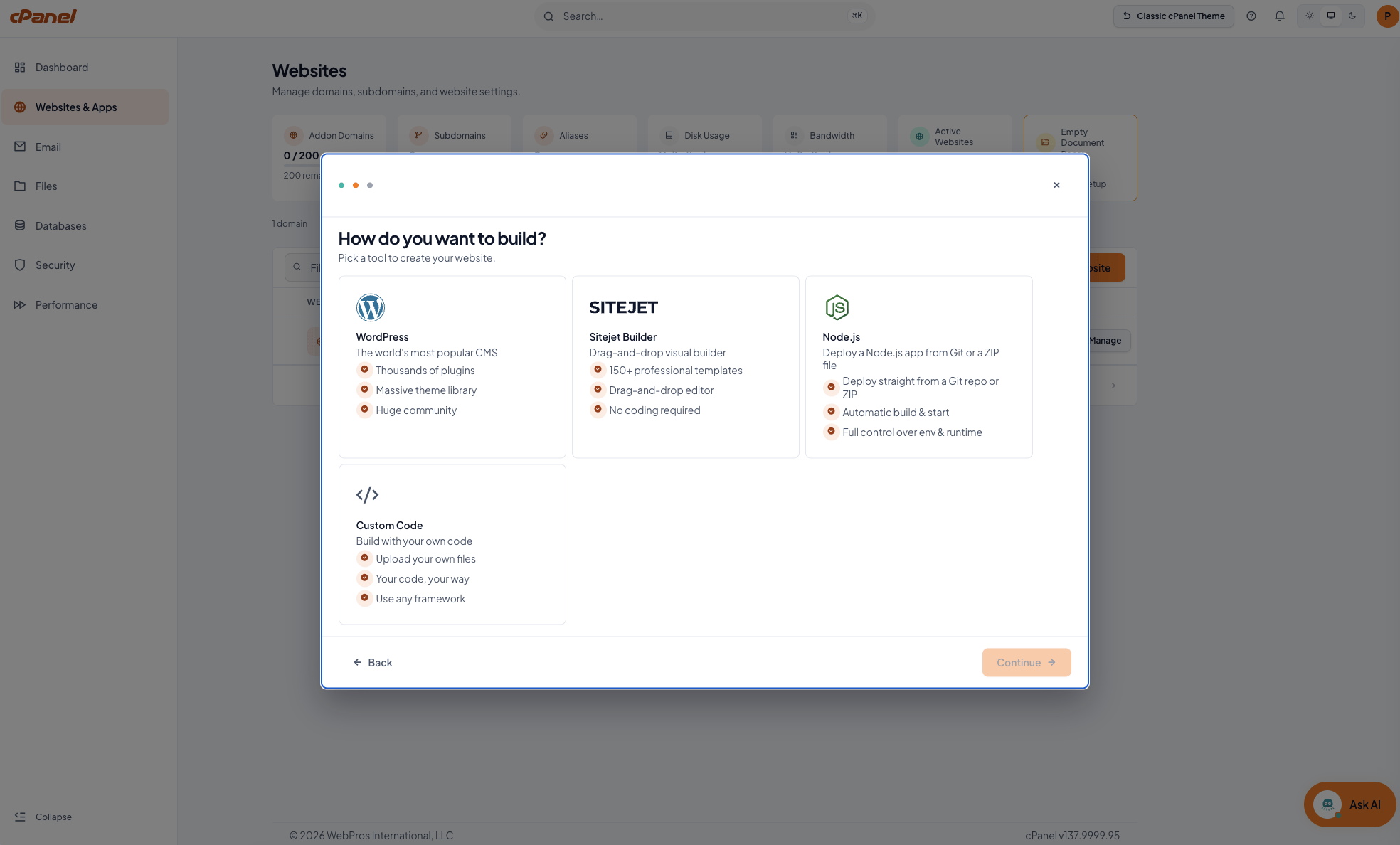
Use the prompt below to create a concise customer email announcing Meridian and the new cPanel AI capabilities. The email is for existing hosting customers, so lead with what is easier for them and reassure them that their familiar workflow remains available.
Before using the prompt, replace the bracketed details and remove any capabilities that are not enabled for your customers.
Copy the prompt below into your preferred AI writing tool. Complete the bracketed fields first, then review the email against the checklist that follows.
You are writing an email for [Your Company], a web hosting provider, announcing the availability of the new Meridian interface and cPanel AI capabilities to existing hosting customers.
Audience: Existing customers who already use our hosting and cPanel. They did not ask for a new control panel and may be unfamiliar with Meridian or AI-powered hosting.
Customer context: [Describe your typical customer, for example, small business owners, agencies, developers, WordPress users, or shared hosting customers]
Brand voice: [Describe your brand voice, for example, practical, friendly, reassuring, technical but approachable]
Available capabilities: [List only the Meridian and cPanel AI capabilities that are enabled for these customers]
Available plans: [List the hosting plans that have access to Meridian and the relevant AI capabilities]
Write a short customer announcement email that explains:
Keep the email concise. Aim for approximately 250 to 350 words.
Use a clear subject line and a short preheader. Provide three subject line options. Make them specific to the announcement rather than generic AI marketing.
Keep the tone confident, practical, and reassuring. Do not use hype such as “revolutionary,” “game-changing,” or “the future of hosting.”
Do not imply that customers need to adopt Meridian or use AI. Do not describe Meridian as a replacement for the classic interface. Do not present every AI capability as available to every customer. Use only the capabilities and plans provided in this prompt.
Prioritize this message: “Your hosting experience is getting easier. Meridian gives you a simpler way to navigate cPanel, and new AI tools can help you build, deploy, and manage your sites and apps. The interface you already know is still there.”
Write for an existing customer who wants to understand quickly: What changed? What can I do now? Do I have to learn something new?
Structure the email with a short opening, three or four benefit-led sections, reassurance about the existing interface, and one clear CTA.
WebPros Design produces a white-label landing page as an editable Figma file you can duplicate, rebrand and rebuild on your own site. Re-brandable elements: logo, primary and accent color, typeface, imagery, CTA destination, footer and legal.
Samples available upon request.
The page is end-customer facing. Leave partner-economics language such as retention, deflection and margin out of it entirely.
Describe the capability rather than naming Nova, Meridian or MCP as products, unless you choose to surface those names.
Keep the source next to any market statistic you publish.
Use the footer legal slot for your own terms and any AI-use disclosure.
| Section | Purpose | Copy direction |
|---|---|---|
| Hero | One claim, one action | Headline on the outcome rather than the technology. Sub-line names what is included. Single primary CTA. |
| Proof strip | Make “why now” credible fast | Three or four market figures with sources. Numbers, not adjectives. |
| Capability blocks | Explain by theme | Four themed blocks: guided experience, AI building, in-panel support, secure AI connectivity. One benefit line and one plain-language detail each. |
| Who it is for | Self-selection | Three short columns: first-time site owners, small businesses, people building with AI tools. |
| How it works | Remove the unknown | Three steps: describe what you want, publish it, manage it from your control panel. |
| FAQ | Absorb objections | Five or six questions, drawn from the customer FAQ set. |
| Closing CTA | Convert | Repeat the hero action, with no new argument. |
Build your site with AI. Host it with us.
Describe what you want, publish it live, and manage it from your control panel. No code required.
Your hosting just got an AI upgrade.
Guided setup, AI site and app building, and in-panel help for the things that used to mean a support ticket.
From idea to live site, inside your hosting.
AI-assisted building, guided onboarding and instant answers, all in one place.
The panel is the one place every hosting customer already visits. A banner there reaches them while they are working, with no media spend and no campaign to run, and the next click is the product itself. Placement, targeting and scheduling are yours. Match each banner to the capabilities enabled on the account, so every click lands on something the customer can use straight away.
| Slot | Headline | Body and CTA |
|---|---|---|
| Dashboard, new account | Your site can be live today | Describe what you want and let AI build the first draft. CTA: Start building |
| Dashboard, existing account | cPanel just got easier | A simpler layout, guided setup, and help built into the panel. CTA: Take a look |
| Ribbon | New: AI tools in your control panel | Build sites, deploy apps and get answers without leaving cPanel. CTA: See what’s new |
| Capability | Headline | Body and CTA |
|---|---|---|
| AI site building | Describe it. Watch it get built. | A landing page, a web app or a full WordPress site, published live from your control panel. CTA: Build a site |
| AI site building, WordPress | A WordPress site, without the setup | Tell us what kind of site you need and get a real WordPress site you can manage the normal way. CTA: Create my site |
| In-panel assistant | Stuck? Just ask. | Get guided answers for SSL, email, disk space and databases without opening a ticket. CTA: Ask a question |
| App hosting | Built an app with AI? Bring it here. | Deploy apps from Claude, Lovable, Bolt, v0 or Replit. Upload a ZIP or connect a repo. No command line. CTA: Deploy an app |
| Website builder | A website draft in seconds | Describe your business and get a complete, editable draft: layout, copy, images and SEO basics. CTA: Generate my draft |
| AI connectivity | Connect your AI tools securely | Give approved AI tools scoped access to your hosting, with a full audit trail. CTA: Set up access |
| Trigger | Headline | Body and CTA |
|---|---|---|
| Free credits exhausted | You’re out of build credits | Upgrade to keep building: more credits, unlimited projects. CTA: See plans |
| Project limit reached on free tier | Ready for site number two? | The free tier covers one project. Move up for unlimited. CTA: Upgrade |
| Assistant actions gated off | Let the assistant do it for you | Upgrade to let the assistant carry out routine fixes, with your confirmation. CTA: Compare plans |
| App hosting gated off | Host your AI-built apps here | Deploy Node.js apps straight into your hosting. CTA: Add app hosting |
| One-pager | |
|---|---|
| Meridian Partner Overview | |
| AI Assistant Partner Overview | |
| Nova | |
| AI App Hosting Product Sheet | |
| MCP One-Pager | |
| Sitejet AI Overview | |
| Sales Talking Points | Coming soon |
One-pagers can be co-branded for partner use. Contact the cPanel GTM team for editable source files and the current co-marketing options.
Most hosting websites carry a cPanel description written before AI was part of the platform. These replacements keep the reliability message that description earned and add what is now true. Publish them as they are, or edit to match your voice.
For plan comparison tables, feature grids and meta descriptions. Around 40 words.
cPanel is the hosting control panel trusted to run millions of websites, now with AI built in. Create sites, deploy applications, manage email and databases, and get guided help for everyday tasks from a single interface.
For your cPanel feature page or hosting product page. Around 120 words.
Manage websites, applications and email from one place.
cPanel gives you a single interface for everything that runs your online presence: websites, domains, email, files, databases and security. AI is now built into the experience. Guided setup walks new accounts through to a working site, an in-panel assistant answers questions and diagnoses common issues such as SSL, email configuration and disk usage, and AI-assisted building turns a description of your business into an editable website draft.
Applications built with AI tools have a home here too. Deploy a Node.js application from a ZIP file or a Git URL, and cPanel detects the framework, configures the runtime and serves it over HTTPS.
All of it runs on the platform hosting providers have relied on for more than twenty years.
For feature lists. Use the ones you have enabled.
Guided setup. A setup flow that reads your hosting plan, skips what does not apply, and gets you to a working site.
In-panel help. Ask a question in plain language and get guided answers for SSL, email, disk usage and databases.
AI website building. Describe your business and get a complete, editable website draft with layout, copy, images and SEO basics.
Application hosting. Deploy Node.js applications from a ZIP file or a Git URL, with framework detection and automatic runtime configuration.
Secure AI connectivity. Connect approved AI tools to your hosting through scoped, permission-controlled access with a full audit trail.
Everything you already rely on. Websites, domains, email, files, databases, SSL, backups and WordPress management in one interface.
| Replace | With |
|---|---|
| “Easy-to-use control panel” | “Guided setup and in-panel help”, which says what the customer gets |
| “Industry-standard interface” | “The platform trusted to run millions of websites, now with AI built in” |
| “One-click installs” | Keep it, and add AI site building alongside it as a second path |
| Any mention of a tool grid or a list of 100+ tools | Goal-based navigation: Websites, Email, Files, Databases, Security, Performance |
Unlock the full functionality of cPanel AI in three steps.
Manage2
WHM → Add/Edit Package
WHM → Feature Manager
Choose the features to bundle:
No sections match that search. Try a product name, a capability, or a phrase from the copy.